 Chrysai
Your AI builds real data apps. You just describe the data.
Chrysai gives LLMs the power to design schemas, create databases, and manage data through the MCP protocol. Describe what you want to track in plain English — your AI handles the rest.
Works with your favorite AI tools
Connect Chrysai to Claude, ChatGPT, or any MCP-compatible client.
Chrysai · Data Explorer
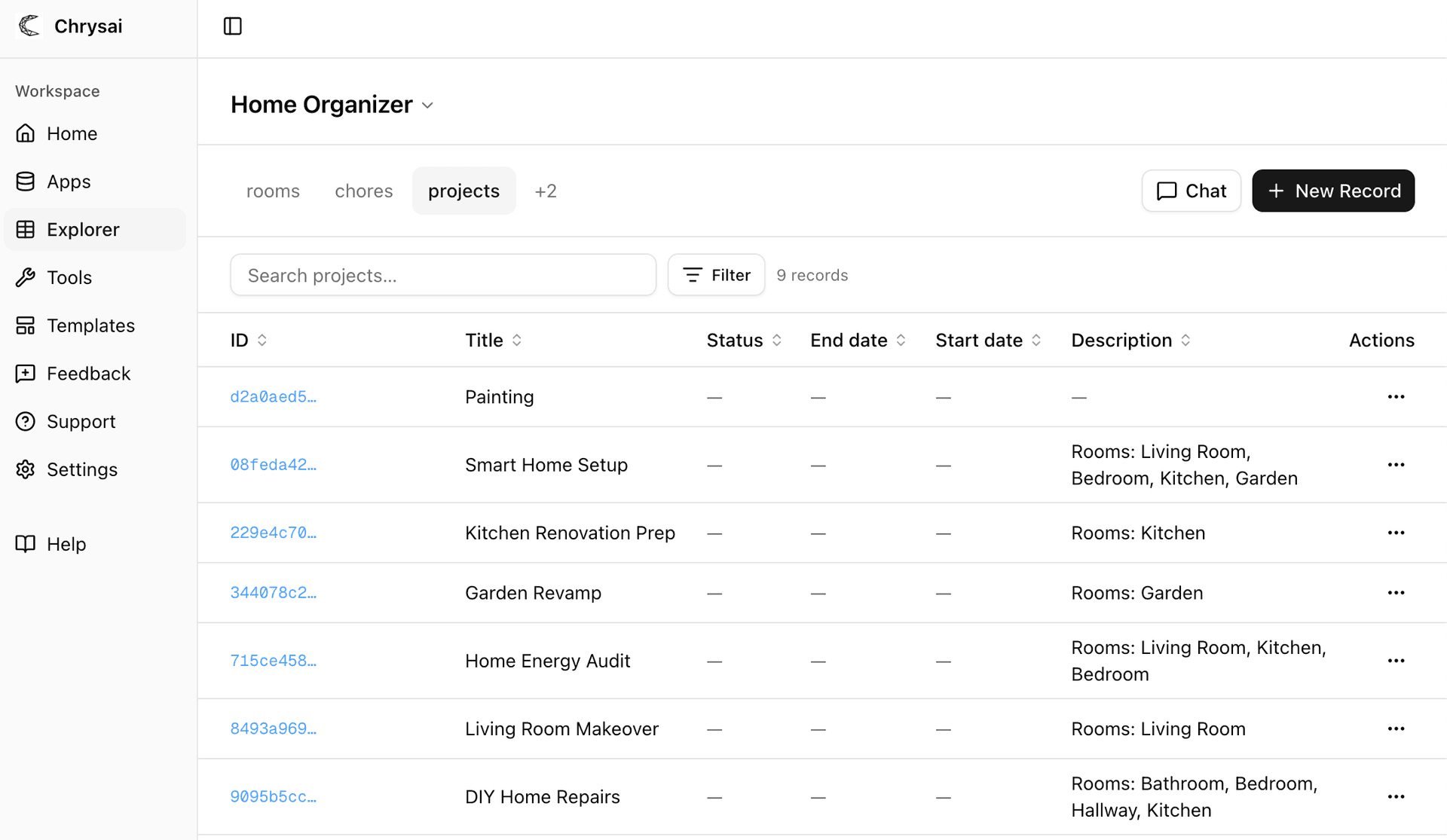
Browse and edit your data visually
Every app your AI creates gets a live data explorer in your dashboard. View records, filter by entity, and make edits — no SQL required.
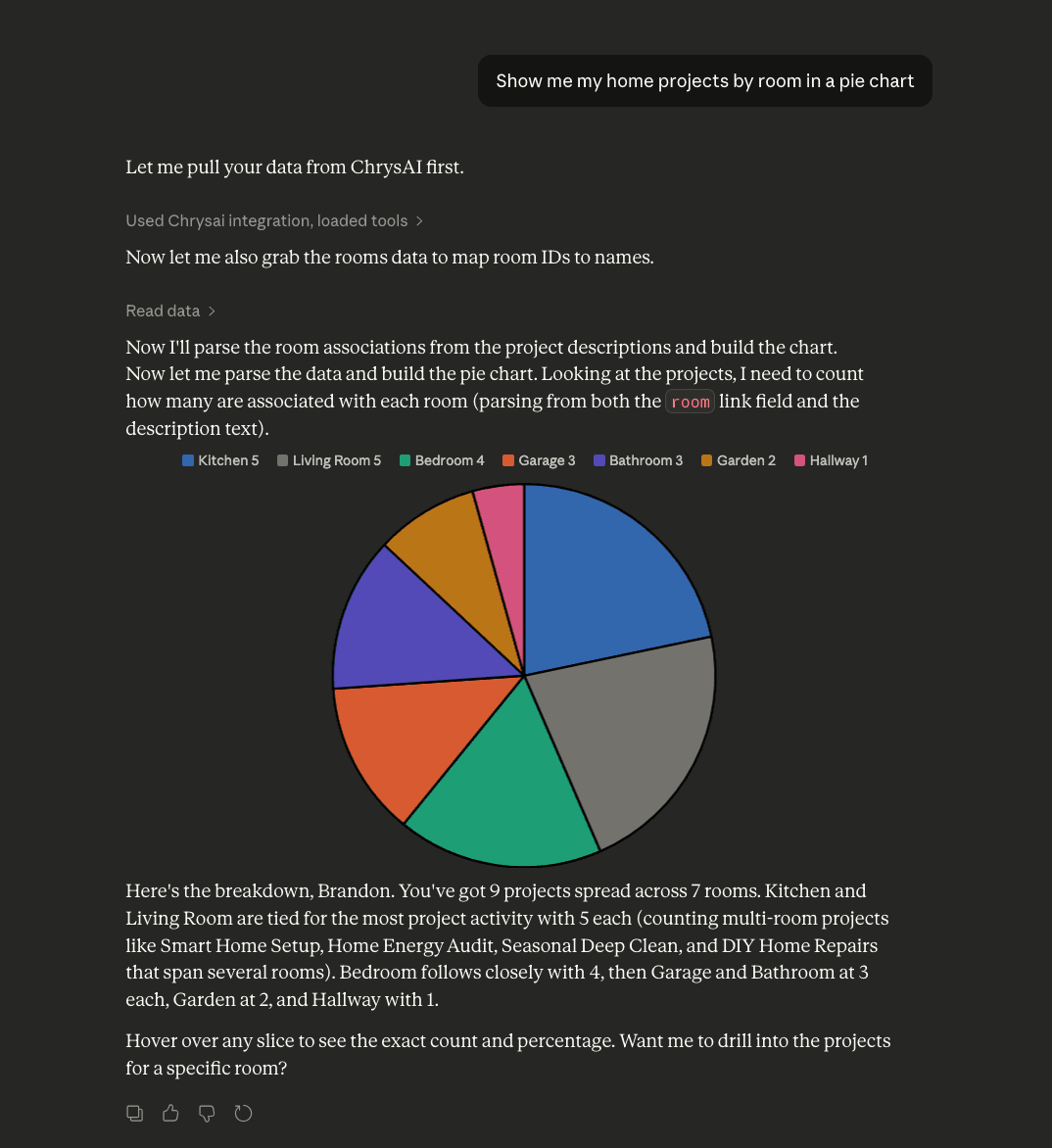
Claude · MCP
Use Chrysai in Claude, Cursor, and any MCP client
Add your Chrysai MCP endpoint to any MCP-compatible client — Claude Desktop, Cursor, Windsurf, and more. Your AI can create apps, query data, and manage records without leaving the conversation.
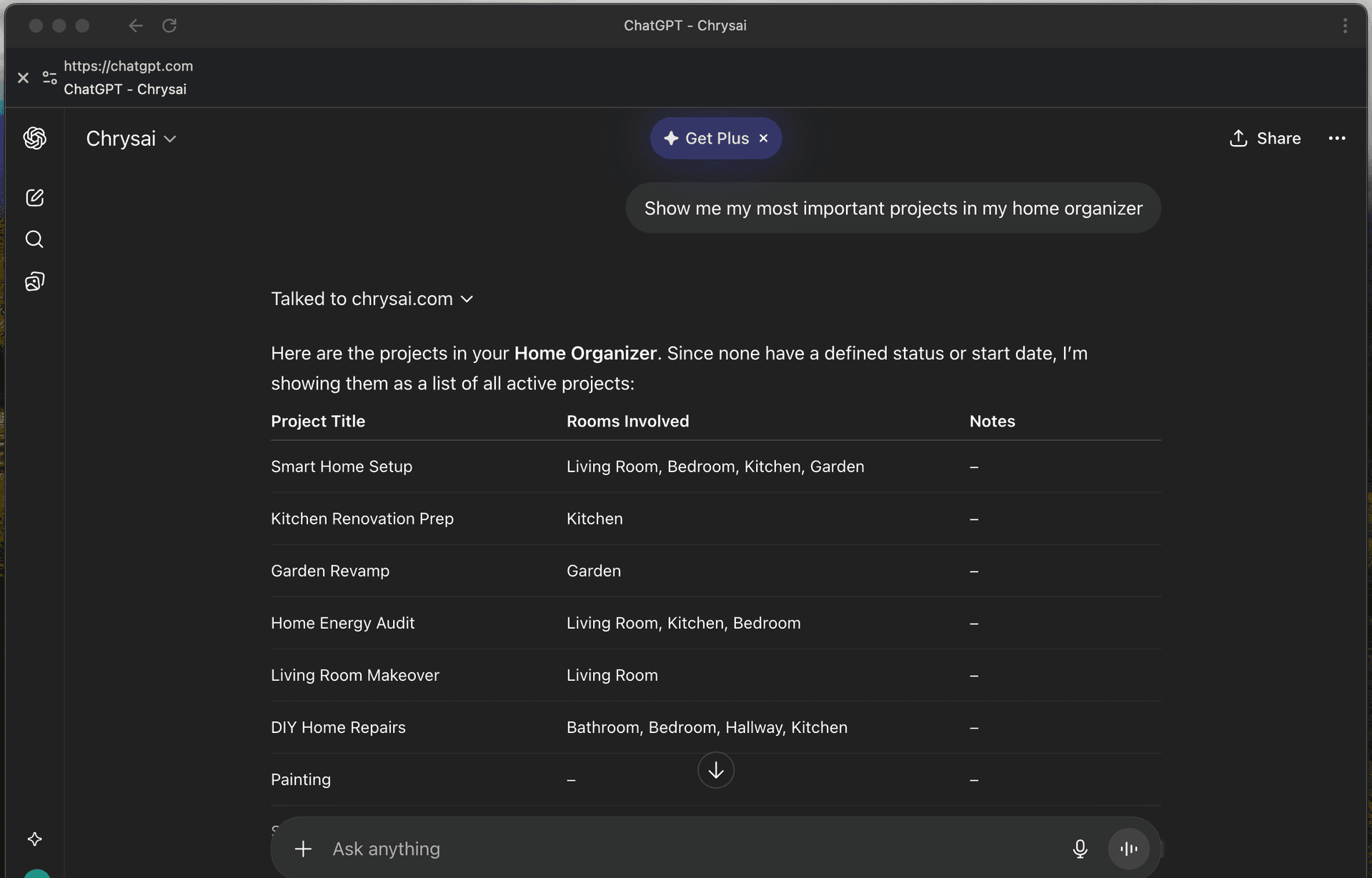
ChatGPT · Custom GPT
Build a Custom GPT powered by your data
Point a ChatGPT Custom GPT at your Chrysai tool endpoint and give it a system prompt. Users interact with a chat UI while Chrysai handles all the data underneath.
ChatGPT is a product of OpenAI. Claude is a product of Anthropic. Chrysai is not affiliated with, endorsed by, or sponsored by OpenAI or Anthropic.
Everything your AI needs to manage data
Six powerful MCP tools that turn any AI into a database administrator.
Start with a template
Pick one and your AI builds the database instantly — no setup required.
Describe anything. Get a database.
From personal projects to business tools — just say what you need.
"Track my workouts"
"I need a simple CRM"
"Help me plan my wedding"
"Inventory for my shop"
"Reading list tracker"
"Manage job applications"
Up and running in 30 seconds
Three steps. No setup wizards, no database configuration, no schema files.
Connect
Add your Chrysai MCP server URL to any compatible AI client. One line of config.
{
  "mcpServers": {
    "chrysai": {
      "url": "https://chrysai.com/api/mcp/J9HED8NA"
    }
  }
}Describe
Tell your AI what data you want to track. It designs the schema and creates the database automatically.
"I need a CRM to track leads, deals, and contacts with their company info."
Use
Query, add, update, and delete data through natural conversation. Your database persists across sessions.
"Show me all deals closing this month over $10k."